Screenwriting software comparison

Arc Studio vs. Final Draft

Which screenwriting software is the right choice for you?

You’re ready to start writing a script, whether it be a feature, short film, or TV pilot, but which screenwriting software should you use?

Two popular choices are Arc Studio and Final Draft™. How do they compare, and which has the features that best suit your needs? Below you’ll find a direct comparison so you can make an informed decision.

Final Draft is a registered trademark of its respective owner. Arc Studio is not affiliated with or endorsed by Final Draft. Comparison as of February 2026.

Arc Studio and Final Draft overview

Arc Studio

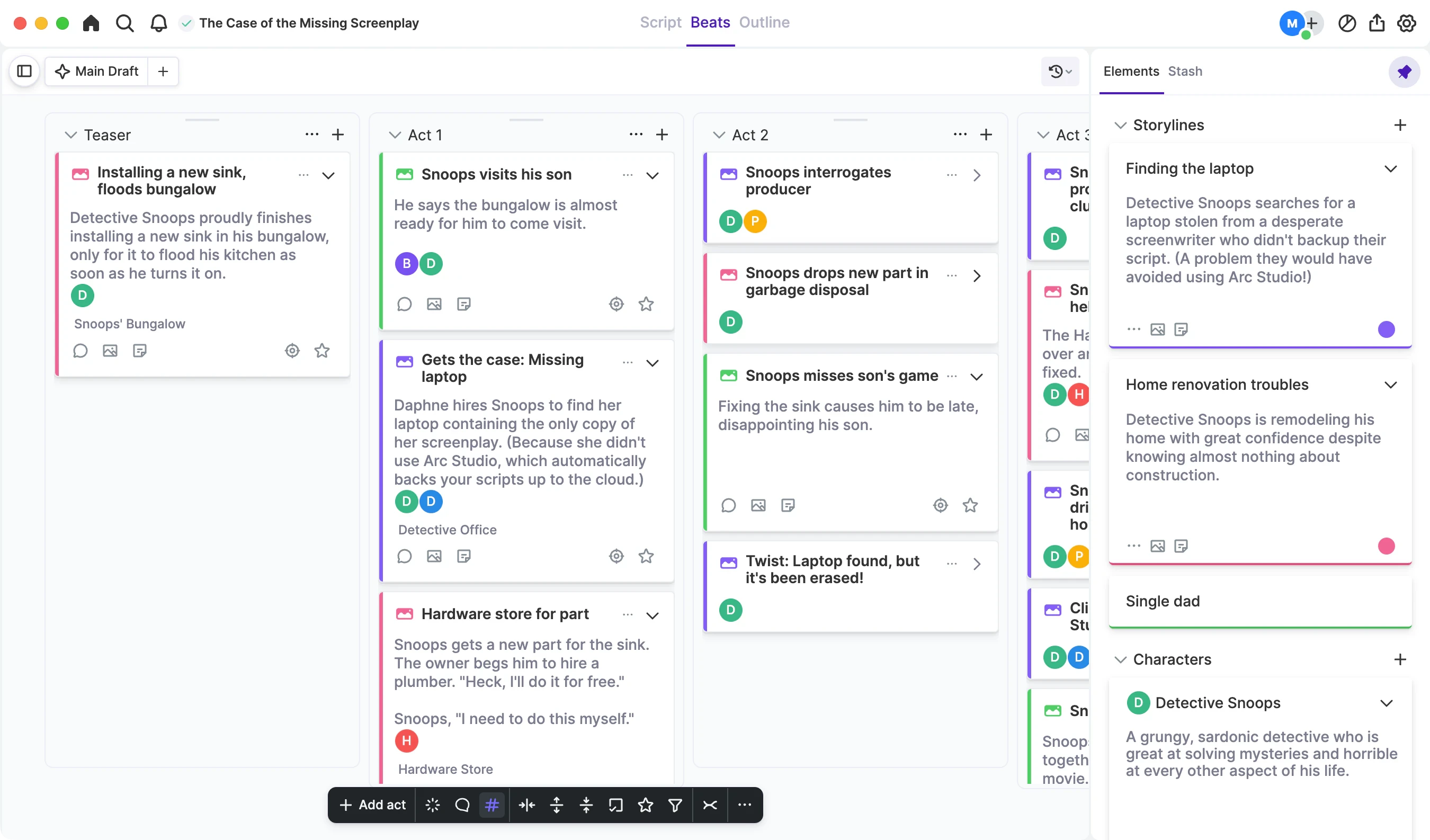
Arc Studio is a modern, cloud-based screenwriting app designed with an intuitive interface to minimize distraction and powerful tools to support you throughout the writing process.

Because it is cloud-based, Arc Studio is built for seamless collaboration, automatically backs up your work, and syncs across multiple devices.

It features industry standard formatting and an ever-growing suite of production tools.

You never need to upgrade because the app is constantly updated with new features, like a built-in notes app and an intuitive outlining tool.

Final Draft

Final Draft is a traditional, word processor-style screenwriting program originally developed in the 1990s, and as such has widespread use in Hollywood.

It features industry standard formatting, production tools, and a wide variety of templates for scripts and other writing projects.

With Final Draft you pay a one-time fee for the current version of the app. If you want to upgrade in the future it is necessary to buy the new version.

Draft management

While both apps create industry-formatted scripts, they take different approaches to revisions.

Arc Studio

With Arc Studio, all your drafts are in one place — with instant version comparison.

Arc Studio saves every version, making it easy to see what changed and bring back anything you cut.

Your script syncs across all your devices, and collaborators can join directly in the document.

Final Draft

With Final Draft, every draft of your script is stored as a different file.

Many Final Draft users manage revisions by saving new versions of their script (e.g., “Script_v5,” “Script_v6”).

This approach offers explicit control, but it typically requires manual organization.

Choose your workflow

Which is the right choice for you?

Arc Studio

A modern app that automatically saves and backs up your work, syncs to multiple devices, and is built for collaboration.

A built-in notes app for story and character development, intuitive outlining features, and easy comparison of your script drafts.

Automatic access to new features without having to upgrade.

Final Draft

A legacy screenwriting app with widespread adoption.

A traditional, word processor-style writing app.

Templates for writing things other than screenplays, like graphic novels and stage plays.

Side-by-side comparison

Features

Feature comparison between Arc Studio and Final Draft
FeatureArc StudioFinal Draft
Industry-standard script formattingIncludedIncluded
Built-in Notes AppIncludedNot included
Outlining ToolsIncludedIncluded
CollaborationIncludedLimited
Season OutlinesIncludedNot included
Script BackupIncludedWith file hosting service
Device SyncingIncludedNot included
Upgrades IncludedIncludedNot included
Desktop AppIncludedIncluded
Browser AccessIncludedNot included
iOS AppIncludedIncluded
PDF ExportsIncludedIncluded
Draft ManagementIncludedNot included

Sign up for free

Verifying…

or

By clicking "Continue" or "Sign In with Apple/Google"you agree to our Terms of Service and Privacy Policy.