Scene transitions are one of the many forms of script formatting that can feel archaic and confusing to novice and intermediate screenwriters alike. What are they, and when should they be used? Keep reading for the lowdown!
What is a scene transition?
A scene transition is a script element that comes between the end of one scene and the beginning of the next. It's capitalized and justified to the right margin. It's purpose is to inform the reader how the transition between the scenes occurs.
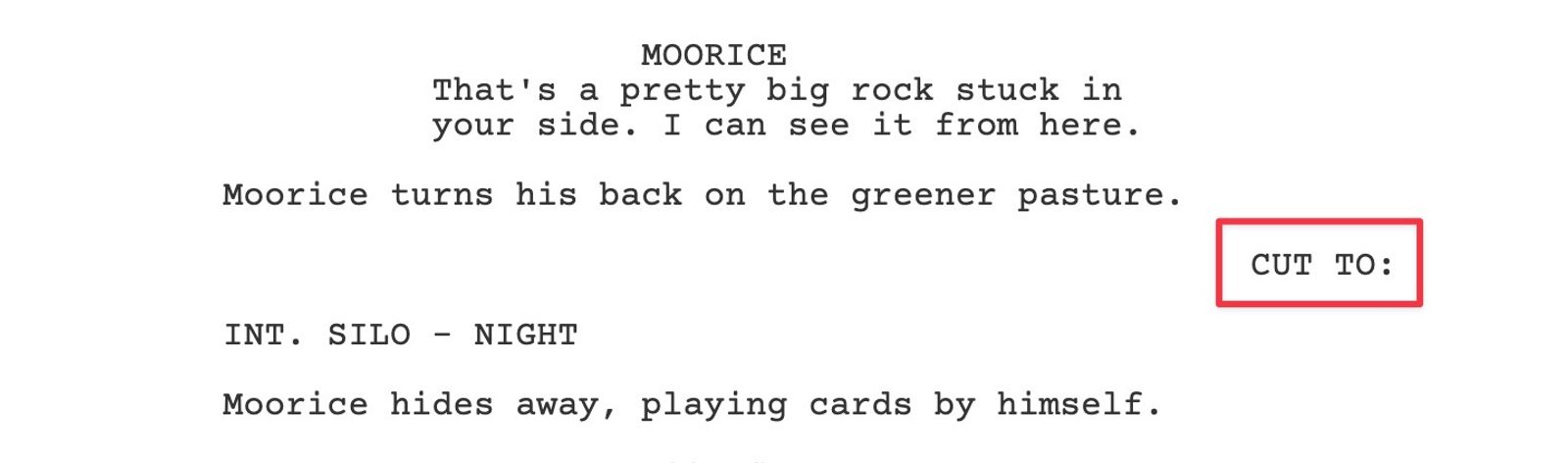
In Arc Studio you can create a scene transition element by using the keyboard shortcut CMD (CTRL on PC) + 7.
When do you need to use them?
Contrary to the belief of many new screenwriters, you can default to not using scene transitions. There is no need to have a CUT TO: between all your scenes, because it is implied that we're cutting to the next scene. Your CUT TO: just becomes extraneous words that increases your page count and slows down (and possibly annoys) your reader.
So when should you use a scene transition? When you have a reason to. If the scene transition helps the reader better understand your vision for the script, go for it (in moderation).
Below is a non-exhaustive list of when a scene transition might be appropriate.
A change of POV
If we’ve been following one character through multiple scenes and are moving to a different character in a different setting, a CUT TO: can be helpful as it breaks up the rhythm of the script. In the preceding scenes the reader will have become used to the same character in each scene, so when they read a new scene they’ll have the expectation they’re still following the character. If they’re suddenly reading a new character in a different setting, particularly if they haven’t met this character before, it will upset their expectation and cause a moment of confusion which can take them out of the flow of the script. Adding a simple CUT TO: before the scene with the new character signals to the reader that a change is happening. That way they can meet the new character in stride and stay in the flow of your script.
Time changes
I’ll most frequently use a scene transition when I’m entering or exiting a flashback. Any deviation from the current flow of the script is a potential bump in the road for your reader, and moving backward or forward in time is a significant deviation. I err on the side of over-writing here, using a FLASH BACK TO: scene transition, and then adding (FLASHBACK) in the scene heading of the flashback scene.
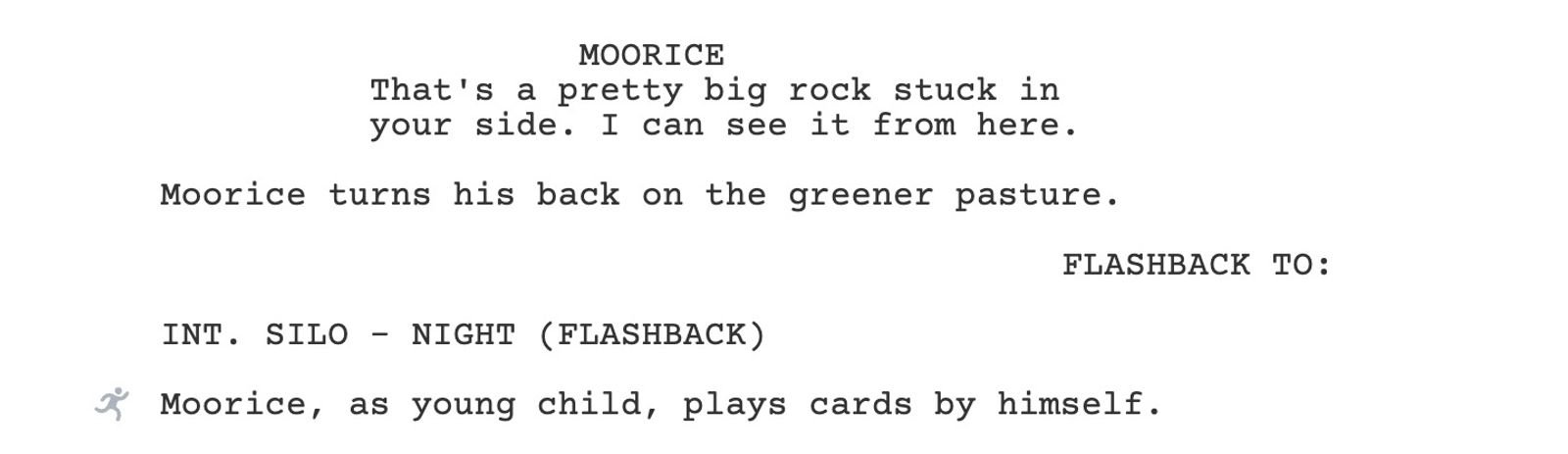
At the end of the flashback I use the scene transition BACK TO: to indicate we're returning to the present. Sometimes I’ll even throw in a (PRESENT) at the end of the scene heading following the flashback.
Specific transitions
Sometimes as the writer you have a specific vision for how the scene transition occurs, which requires specifying in the script. There’s a definite risk of overdoing this, but it’s your script and if you want to use it, you should use it. Here is a list of some of these kind of transitions.
- MATCH CUT TO:
- Use MATCH CUT TO: when you want to cut between similar shots at the end of one scene and the beginning of the next scene. For instance, you may match cut between a character’s face at the end of one scene to the face of another character (or a creepy doll or a smiley face pin) at the top of the next scene.
- SMASH CUT TO:
- A smash cut is an abrupt, surprising contrast between one scene and the next before the first scene has come to a natural conclusion. This contrast can be comedic, jarring, or mysterious. In comedies a frequent use of this device a character declaring they’ll never do something again, and then smash cutting to them doing that thing.
- You might see someone use JUMP CUT for something similar, but in my opinion jump cuts are generally for editors, not screenwriters.
- HARD CUT is another term used similarly, but technically all CUT TOs are hard cuts. A smash cut is a particularly abrupt hard cut.
- A smash cut is an abrupt, surprising contrast between one scene and the next before the first scene has come to a natural conclusion. This contrast can be comedic, jarring, or mysterious. In comedies a frequent use of this device a character declaring they’ll never do something again, and then smash cutting to them doing that thing.
- DISSOLVE TO:
- Dissolving between scenes can create the effect of a dreamy, languid, or gentle transition. It allows the final moment of the first scene to linger before the next scene starts.
Parting advice
As a final word of advice, always err on the side of clarity. Put yourself in the mindset of the reader and think about what will make the most sense for them. And as a final-er word of advice, less is more. Seeing a script laden with scene transitions page after page makes me feel exhausted before I’ve even started reading.